
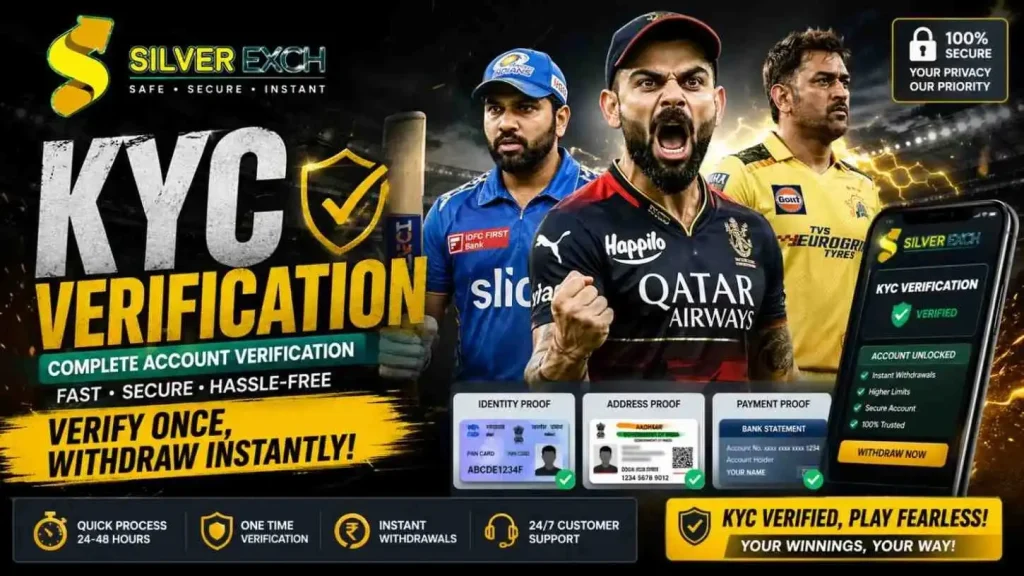
Silverexch KYC Verification: Complete Account Verification Process Guide
KYC verification is a mandatory step for every Silverexch user who wants to withdraw their winnings. Therefore, this guide walks you through the entire Silverexch KYC Verification process from start to finish.
First, KYC stands for “Know Your Customer.” Second, it is a legal requirement for all online betting platforms operating in India. Third, it protects both you and Silverexch from fraud and illegal activities. Consequently, completing your Silverexch KYC Verification unlocks full access to your account features.
The good news? The entire process takes less than 10 minutes. Let’s get started.
What Exactly is KYC Verification?
KYC Verification is a standard identity check used by banks, financial institutions, and online betting platforms. In simple terms, it proves that you are who you say you are.
When you complete Silverexch KYC Verification, you are confirming three things:
| Confirmation | What It Means |
|---|---|
| Your Identity | Your name, date of birth, and photo match your documents. |
| Your Address | Where you live matches your address proof. |
| Your Payment Method | The bank account or UPI ID you use belongs to you. |
Once verified, Silverexch knows you are a real person over 18 years old. As a result, you can withdraw your winnings without any restrictions.
Why Silverexch Requires KYC
KYC is not optional – it is the law. Here are the specific reasons Silverexch requires KYC verification
| Reason | Detailed Explanation |
|---|---|
| Prevent Identity Theft | Ensures no one else can access or withdraw your funds. |
| Stop Underage Gambling | Confirms every user is 18 years or older. |
| Block Duplicate Accounts | Prevents users from creating multiple accounts for bonuses. |
| Anti-Money Laundering | Complies with financial regulations to stop illegal money flows. |
| Secure Withdrawals | Funds only go to the verified account holder. |
| Legal Compliance | Required by Indian and international betting regulations. |
Without KYC verification, your withdrawals will remain blocked. Therefore, completing Silverexch KYC Verification should be your first priority after depositing.
Documents You Need to Submit
To complete Silverexch KYC Verification, you need three types of documents. Gather them before starting the process.
🆔 Identity Proof Options (Choose One)
Identity proof proves who you are. Any one of these documents works:
| Document | Requirements | Best For |
|---|---|---|
| PAN Card | Clear photo showing name, photo, and PAN number | Most users |
| Aadhaar Card | Clear photo showing name, photo, and Aadhaar number | Most users |
| Passport | Clear photo of the photo page | International users |
| Voter ID Card | Clear photo showing name and photo | Indian users |
| Driver’s License | Clear photo showing name, photo, and license number | Users with license |
Our recommendation: PAN Card or Aadhaar Card – both are widely accepted and easy to photograph.
📍 Address Proof Options (Choose One)
Address proof verifies where you live. Any one of these documents works:
| Document | Requirements | Validity Period |
|---|---|---|
| Aadhaar Card | Must show current residential address | Valid as long as address matches |
| Driver’s License | Must show current residential address | Valid as long as address matches |
| Passport | Must show current residential address | Valid until expiry |
| Voter ID Card | Must show current residential address | Valid as long as address matches |
| Utility Bill | Electricity, water, or gas bill | Last 3 months only |
| Bank Statement | Official statement from your bank | Last 3 months only |
Our recommendation: Aadhaar Card – it serves as both identity and address proof in one document.
💳 Payment Proof Options (Choose One)
Payment proof confirms that the bank account or UPI ID belongs to you. Any one of these documents works
| Document | Requirements | What to Show |
|---|---|---|
| Bank Statement | Last 3 months, showing your name and account number | First page with name and account details |
| Passbook Copy | First page showing account holder name | Complete first page |
| UPI ID Screenshot | Screenshot from Google Pay, PhonePe, or Paytm | Your UPI ID and name clearly visible |
Important: The name on your payment proof must exactly match the name on your identity proof.
Step-by-Step KYC Submission Guide
Follow these steps carefully to submit your Silverexch KYC Verification:
Step 1: Log Into Your Account
Open the Silverexch website or mobile app.
Enter your Silverexch ID Number and password.
Click the “Login” button.
Step 2: Find the KYC Section
Click on your profile icon (top right corner on desktop, bottom menu on mobile).
From the dropdown menu, select “Account Settings” or “KYC Verification” .
Alternatively, go to the “Withdraw” page. Silverexch will prompt you to complete KYC automatically.
Step 3: Select Document Type for Identity Proof
Click on “Proof of Identity” in the document type dropdown.
Choose which document you are uploading (PAN Card, Aadhaar, Passport, etc.).
Step 4: Upload Your Identity Document
Click the “Upload” or “Choose File” button.
Select the photo of your identity document from your phone or computer.
Wait for the upload to complete (usually 5-10 seconds).
Step 5: Repeat for Address Proof
Select “Proof of Address” from the document type dropdown.
Choose your address document type.
Upload the clear photo of your address proof.
Step 6: Repeat for Payment Proof
Select “Payment Proof” from the document type dropdown.
Upload your bank statement, passbook copy, or UPI screenshot.
Step 7: Review and Submit
Double-check that all three documents are uploaded.
Ensure all photos are clear and readable.
Click the “Submit” or “Send for Verification” button.
Step 8: Wait for Confirmation
Your documents are now with the Silverexch verification team.
You will receive a WhatsApp notification or email once verification is complete.
Processing typically takes 24-48 hours.
Congratulations! You have successfully submitted your Silverexch KYC Verification.
How to Take Clear Document Photos
Blurry or unclear photos are the number one reason for KYC rejection. Follow these tips to get approved the first time:
Camera and Lighting Tips
| Tip | Why It Matters |
|---|---|
| Use natural daylight | Artificial light can cause glare and shadows. |
| Turn off flash | Flash creates reflections on plastic cards. |
| Place document on a flat surface | Keeps the document steady and in focus. |
| Hold your phone steady | Use both hands or rest on a table. |
| Clean your camera lens | A smudged lens creates blurry images. |
Document Positioning Tips
| Tip | Why It Matters |
|---|---|
| Show all four corners | Cropped documents are automatically rejected. |
| Fill the frame | Document should take up 80% of the photo. |
| No fingers covering text | Keep fingers away from important details. |
| Remove document from wallet | Plastic sleeves cause glare. |
What Makes a Photo Unacceptable
| Problem | Why Rejected | Solution |
|---|---|---|
| Blurry image | Cannot read text or see photo | Retake with steadier hands |
| Glare or reflection | Light bouncing off plastic | Turn off flash, use natural light |
| Document cropped | Missing edges or corners | Show full document |
| Too dark | Cannot see details | Use brighter room |
| Text unreadable | Font too small or faded | Move camera closer |
KYC Processing Timeframes
Here is what to expect after submitting your Silverexch KYC Verification:
| Stage | What Happens | Time Required |
|---|---|---|
| Upload | Documents are received by Silverexch servers | Instant |
| Initial Check | Automated system checks file quality | 1-2 hours |
| Manual Review | KYC team verifies document details | 12-24 hours |
| Final Approval | Account is marked as verified | 1-2 hours |
| Total Time | From submission to approval | 24-48 hours |
During IPL season or major tournaments, processing may take 48-72 hours due to high volume. Therefore, submit your KYC well before you plan to withdraw.
VIP Users: If you have VIP status, your KYC verification is prioritized and completed within 6-12 hours.
Why Your KYC Might Get Rejected
If your Silverexch KYC Verification is rejected, one of these issues is likely the cause:
| Rejection Reason | Why It Happens | How to Fix |
|---|---|---|
| Blurry or unclear photo | Camera was not steady or lighting was poor | Retake photo with better lighting |
| Document expired | Passport or license passed expiration date | Submit a valid, unexpired document |
| Name mismatch | Name on PAN card differs from bank statement | Ensure all documents show identical name |
| Address mismatch | Address on Aadhaar differs from utility bill | Use same address on all proofs |
| Cropped document | Photo cut off part of the document | Show all four corners of the document |
| Wrong document type | Submitted a document not on the accepted list | Check the accepted documents list above |
| File too large | Photo exceeds 5MB limit | Compress the image or take a smaller photo |
| Selfie missing | Some users need a selfie holding their document | Upload requested selfie |
When rejection happens, Silverexch sends you a message explaining exactly why. Read it carefully, then resubmit with corrected documents.
How to Fix a Rejected KYC Submission
Getting rejected is frustrating, but it is easy to fix. Follow these steps:
Step 1: Read the Rejection Message
Check your WhatsApp or email for the rejection notification.
The message will state the exact reason for rejection.
Step 2: Correct the Issue
| Rejection Reason | Corrective Action |
|---|---|
| Blurry photo | Take a new photo with better lighting and steadier hands |
| Expired document | Submit a different valid document |
| Name mismatch | Update your bank account name or use a different payment method |
| Cropped document | Retake photo showing all four corners |
| Wrong document type | Submit an accepted document from the list |
Step 3: Resubmit Your Documents
Log back into your Silverexch account.
Go to the KYC Verification section.
Delete the rejected uploads.
Upload the corrected documents.
Click “Submit” again.
Step 4: Wait for Re-Verification
The verification team will review your new submission.
Processing time resets to 24-48 hours.
Most resubmissions are approved faster (12-24 hours).
Withdrawals After KYC Approval
Once your Silverexch KYC Verification is approved, you can withdraw your winnings immediately.
Withdrawal Limits After KYC
| Withdrawal Type | Minimum | Maximum per Transaction | Maximum per Day |
|---|---|---|---|
| UPI | ₹500 | ₹50,000 | ₹1,00,000 |
| Bank Transfer | ₹1,000 | ₹5,00,000 | ₹10,00,000 |
| USDT (TRC20) | $10 | $5,000 | $10,000 |
How to Withdraw After KYC Approval
Log into your Silverexch account.
Click on “Withdraw” or “Cash Out” .
Select your withdrawal method (Bank Transfer, UPI, or USDT).
Enter the amount you wish to withdraw.
Provide your payment details.
Click “Submit” .
Your withdrawal will be processed within 6-24 hours. Visit the Withdrawal Process page for complete details.
How Silverexch Protects Your Documents
We understand that sharing personal documents requires trust. Here is how Silverexch protects your sensitive information:
| Security Measure | What It Means for You |
|---|---|
| 256-bit SSL Encryption | Your documents are encrypted during upload – hackers cannot intercept them. |
| Secure Servers | Documents are stored on protected servers with multiple firewalls. |
| Limited Staff Access | Only authorized KYC team members can view your documents. |
| No Third-Party Sharing | Your documents are never sold or shared with outside companies. |
| Data Deletion Option | You can request document deletion after verification. |
| GDPR Compliant | We follow international data protection standards. |
Your privacy is our priority. Read our Privacy policy for complete details.
Frequently Asked Questions
Q1: Is KYC verification mandatory on Silverexch?
A: Yes. KYC verification is required for all users who want to withdraw funds. You can deposit and place bets without KYC, but withdrawals are blocked until verification is complete.
Q2: How long does Silverexch KYC Verification take?
A: Typically 24-48 hours. During IPL season, processing may take 48-72 hours. VIP users get priority verification within 6-12 hours.
Q3: What documents are accepted for KYC on Silverexch?
A: PAN Card, Aadhaar Card, Passport, Voter ID, or Driver’s License for identity proof. Aadhaar, Utility Bill, Bank Statement, or Driver’s License for address proof.
Q4: Can I use Aadhaar for both identity and address proof?
A: Yes. A single Aadhaar Card works for both identity and address verification, saving you time.
Q5: What happens if my KYC gets rejected?
A: You will receive a message explaining the rejection reason. Then, correct the issue and resubmit your documents.
Q6: Is my personal information safe during KYC?
A: Yes. Silverexch uses 256-bit SSL encryption and secure servers. Your documents are never shared with third parties.
Q7: Can I withdraw without completing KYC?
A: No. Withdrawals are blocked until your Silverexch KYC Verification is approved.
Q8: Do I need to verify again for future withdrawals?
A: No. KYC verification is a one-time process. Once approved, your account stays verified permanently.
Q9: What is the minimum age for Silverexch KYC?
A: You must be 18 years or older. Underage accounts are closed immediately upon discovery.
Q10: How do I contact support if my KYC is delayed or stuck?
A: Contact Customer support via WhatsApp or the in-app chat feature.
Final Thoughts
Completing your Silverexch KYC Verification is a one-time process that takes less than 10 minutes. However, it unlocks the ability to withdraw your winnings instantly.
To summarize the entire process:
Step 1: Gather your documents – PAN Card or Aadhaar for identity, Aadhaar or Utility Bill for address, Bank Statement for payment proof.
Step 2: Log into your Silverexch account and navigate to the KYC section.
Step 3: Upload clear, well-lit photos of all three documents.
Step 4: Submit and wait 24-48 hours for verification.
Step 5: Once approved, withdraw your funds instantly.
KYC protects you, your money, and the Silverexch platform. Therefore, we recommend completing your verification as soon as you create your account.
Additionally, explore our trusted partner platforms:
Reddy anna – Premium exchange and cricket trading
Gold365 – 365-day non-stop action
Saffronexch – High-limit acceptance
99exch – Fast-paced exchange
Ready to verify your account? Log in to Silverexch and start your KYC verification now!
Disclaimer: KYC verification is mandatory for withdrawals. Users must be 18+ years old. Visit the Disclaimer page for more information.